What you fill in
Basic steps
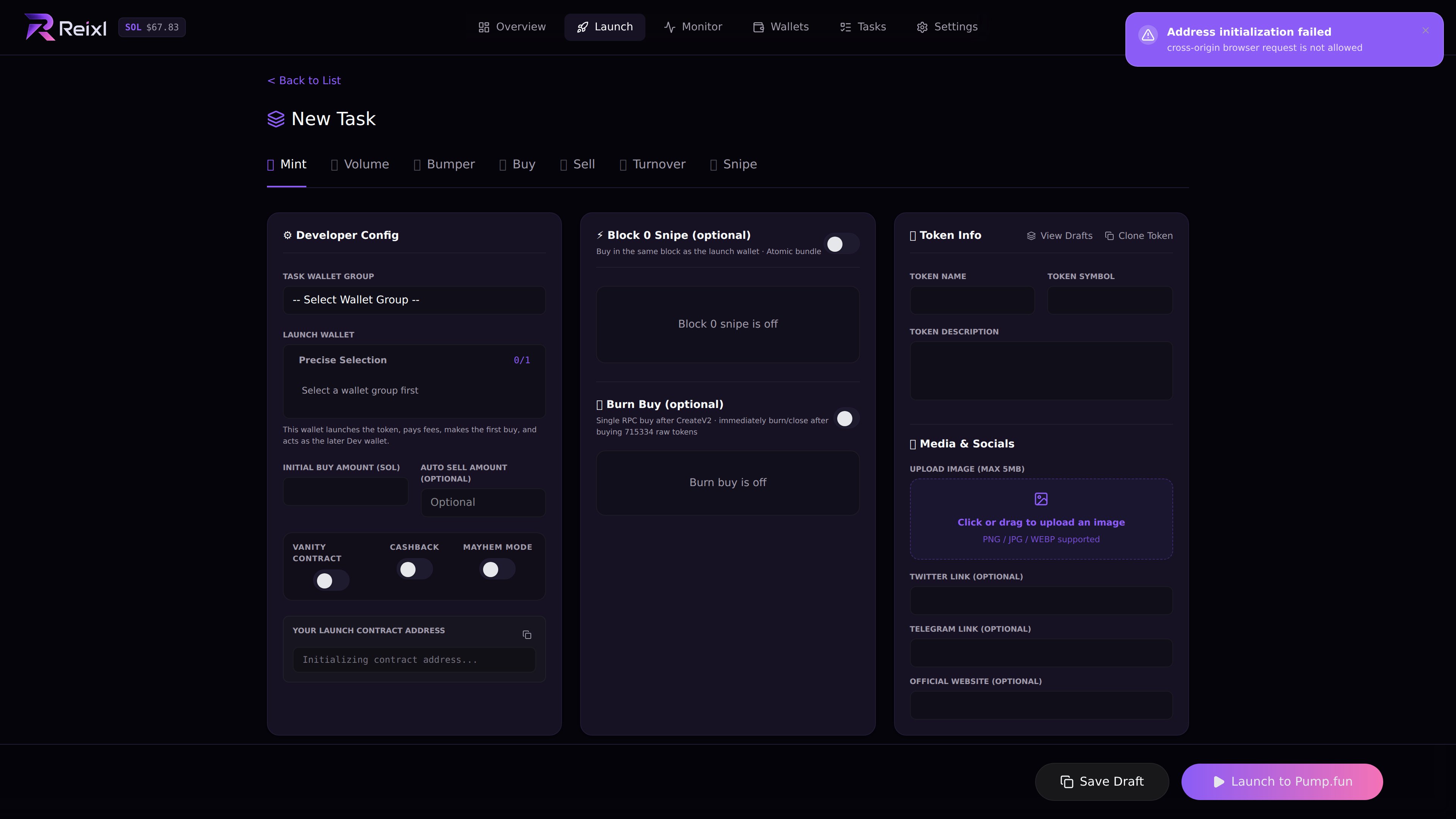
- Enter name and symbol.
- Add the description.
- Upload or confirm the image.
- Add links if they are correct.
- Choose the Wallet Group.
- Choose the dev wallet.
- Enter the first buy amount.
- Turn on optional tactics only if you mean to use them.
- Save the draft or launch.
Optional tactics
If you are unsure, leave tactics off.
Block 0
Block 0 has its own wallet selection. Check:- Block 0 Wallet Group
- selected Block 0 wallets
- total SOL input
- the per-wallet random buy range shown by the page
- the maximum wallet limit shown by the page
Burn Buy
Burn Buy also uses its own wallet selection. Check the group, selected wallets, and amount before sending. Wallets already reserved for another launch role should stay out of this section.Launch progress
When you launch, the modal walks through the main steps:- save task
- prepare mint address
- prepare image and metadata
- pre-check
- submit to Pump.fun