
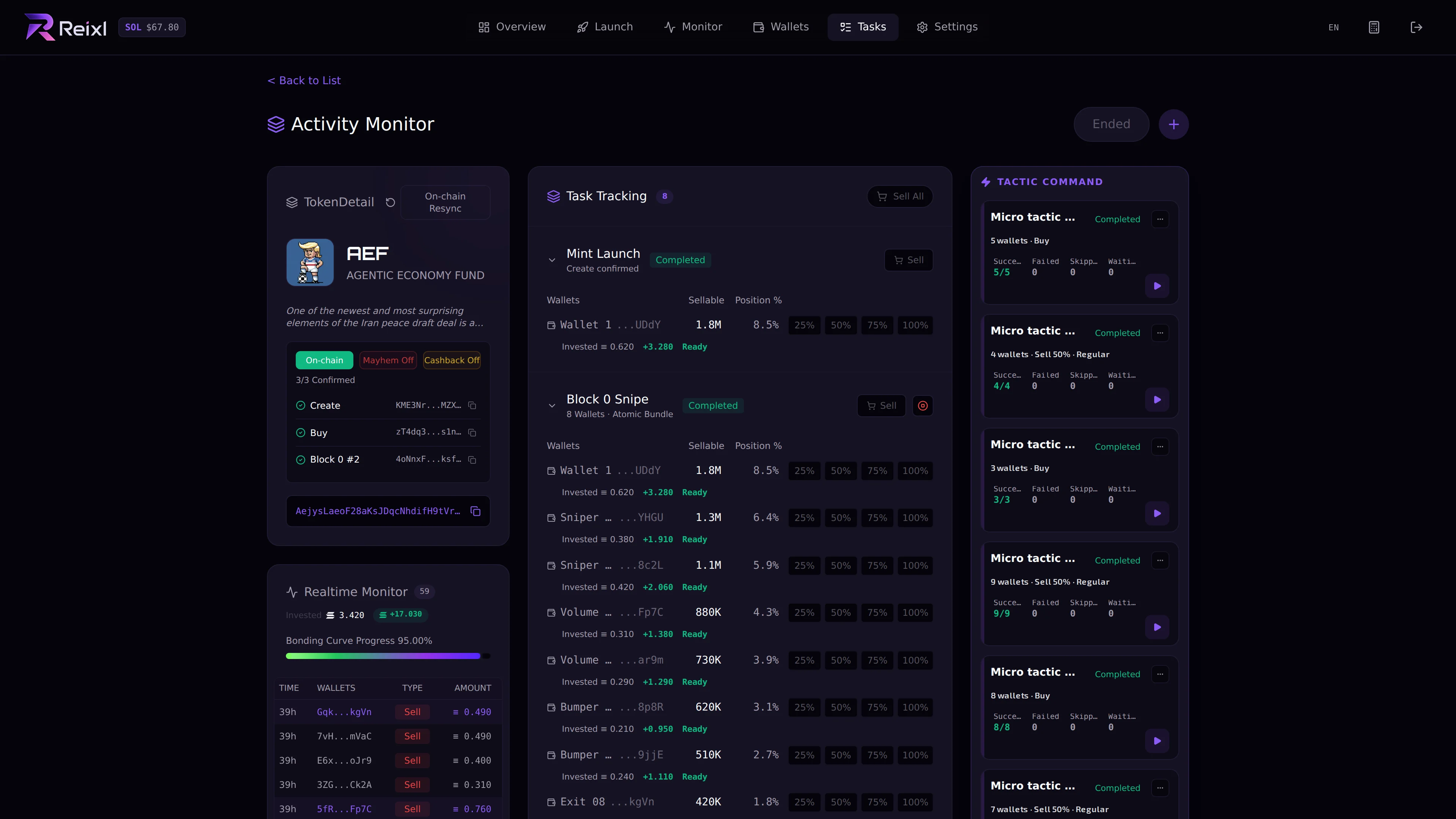
Task Detail is where you manage a task after it starts. Task detail with token results

What to check

  • current status
  • token or mint
  • selected wallets
  • wallet-level results
  • errors or partial failures
  • PNL if shown
  • available controls
  • launch transaction status if shown
  • curve progress if shown
  • Mayhem or Cashback state if shown

Common controls

Depending on the task, you may see:
  • stop
  • sell dev wallet
  • sell selected wallet
  • sell selected wallets
  • sell all wallets
  • end
  • resync
  • retry or recovery actions

How to decide

If the task is still running, keep watching or stop it. If wallets still hold tokens, sell before sweeping. If the task is finished, end it and review PNL. If status is failed or partial failed, read the wallet result before clicking another control.

Hotkeys

If you configured hotkeys in Settings, you may be able to trigger common actions faster: sell dev wallet, sell selected wallet, sell all, execute tactic slots, stop task, or end task. Use hotkeys only when you can see the task detail and know which wallet or task is selected.