
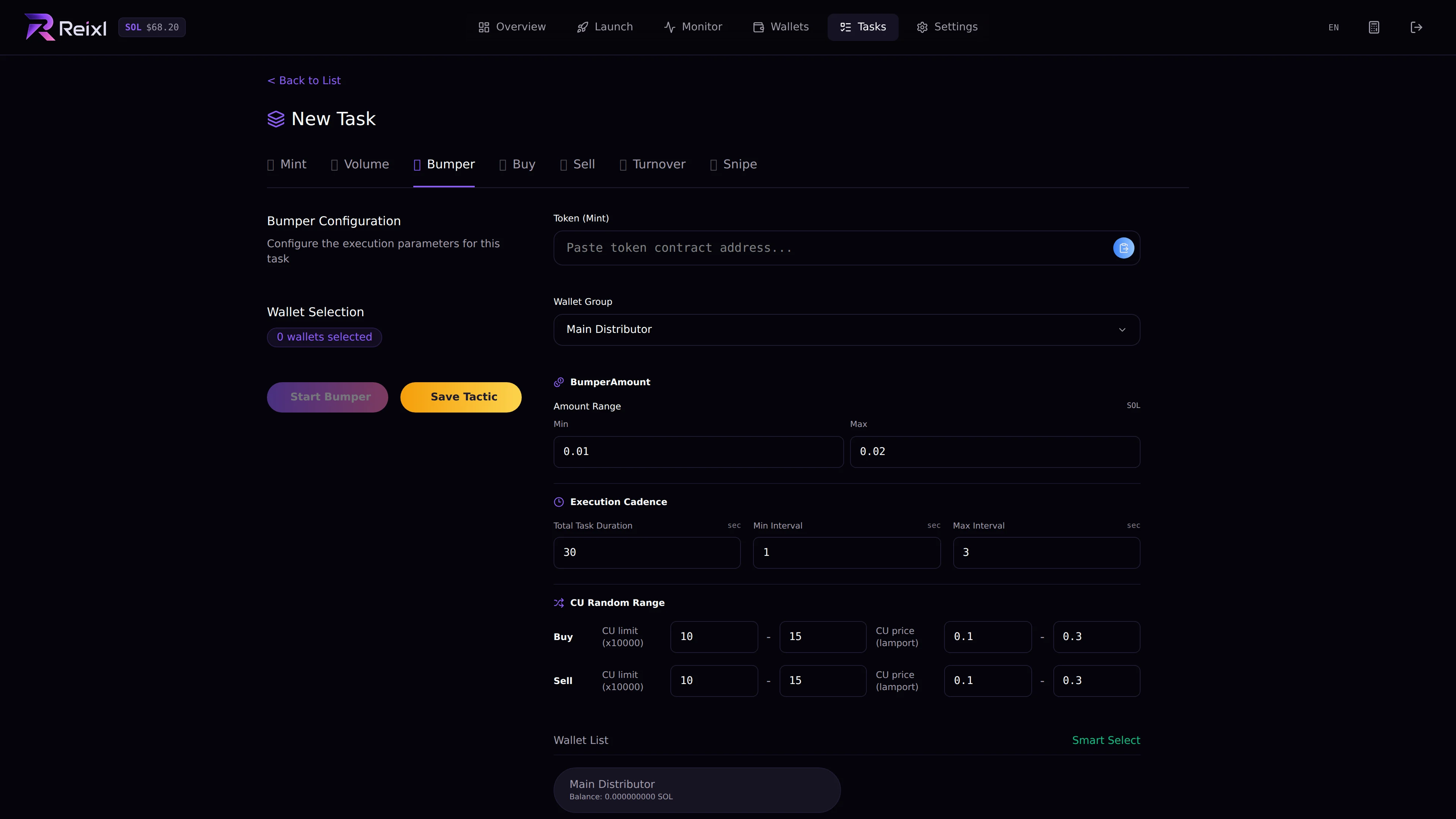
Bumper keeps activity moving for a target mint. Use it only when you have a funded Wallet Group and a clear stop plan. Bumper task composer

What you set

  • target mint
  • Wallet Group
  • selected wallets
  • amount range
  • total duration
  • minimum and maximum interval
  • buy settings when shown
  • sell settings when shown

Steps

  1. Open Tasks > New Task > Bumper.
  2. Paste the target mint.
  3. Choose a Wallet Group.
  4. Select wallets or use smart select.
  5. Set amount and timing.
  6. Start Bumper or save it as a tactic.
  7. Watch the task detail.

Watch closely

Bumper should not be left unattended. Stop it when it no longer fits the plan, then sell or end if needed. Use smart select only after checking the group balance. It filters wallets that do not appear to have enough SOL for the configured amount and buffer.