
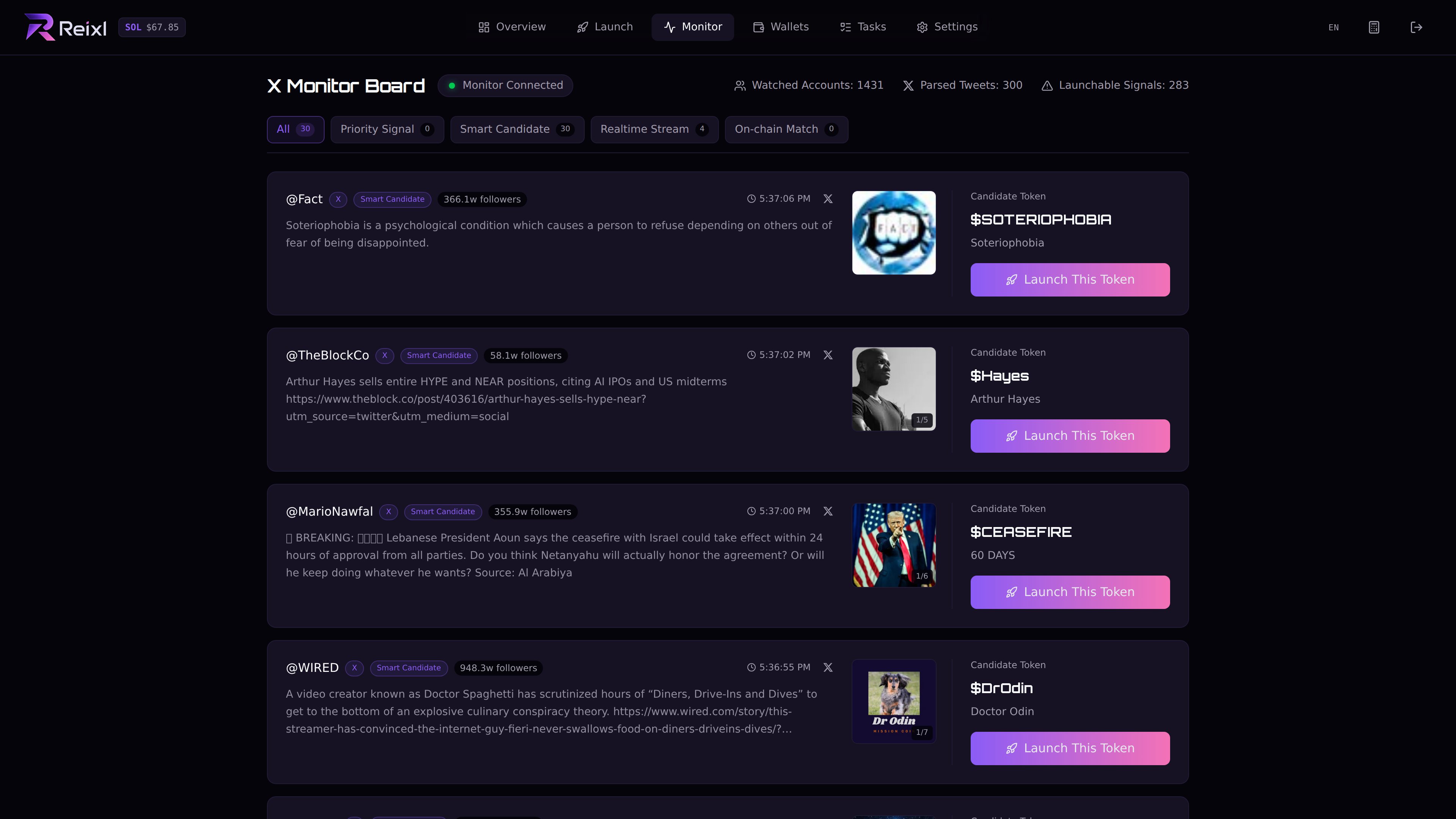
Use this after you find a Monitor candidate you want to turn into a launch. Signal monitor

Steps

1. Open the signal

Go to Monitor and open the candidate.

2. Check the source

Review the text, image, link, and clone information. If several images are available, select the one you want.

3. Create the draft

Click the launch action. Reixl opens Mint and fills in whatever it can from the signal.

4. Review everything

Check:
  • token name
  • symbol
  • description
  • image
  • social links
  • clone source, if any
Rewrite anything that looks wrong, thin, or off-brand.

5. Choose wallets

Select the Wallet Group, dev wallet, and first buy amount.

6. Send and watch

Send after the draft, wallet group, dev wallet, and first buy all look right. Keep the task open after sending.

Reminder

A signal is just the starting point. Reixl moves it into Mint quickly; the launch decision is still yours.