
Buy task
Use Buy when selected wallets should buy the target token.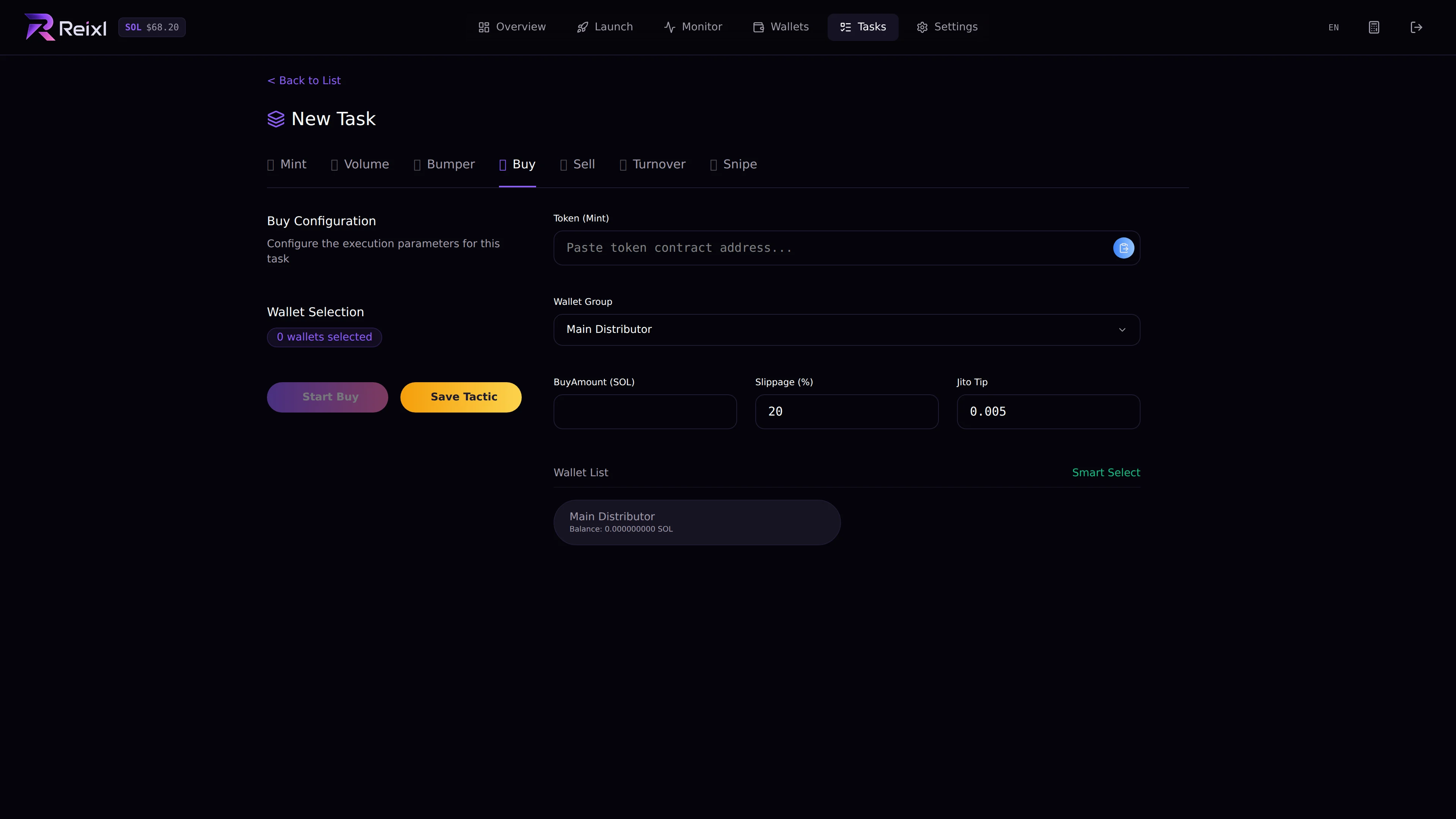
- target mint
- Wallet Group
- selected wallets
- buy amount
- slippage
- Jito tip if shown
- balances
Sell task
Use Sell when selected wallets should sell the target token.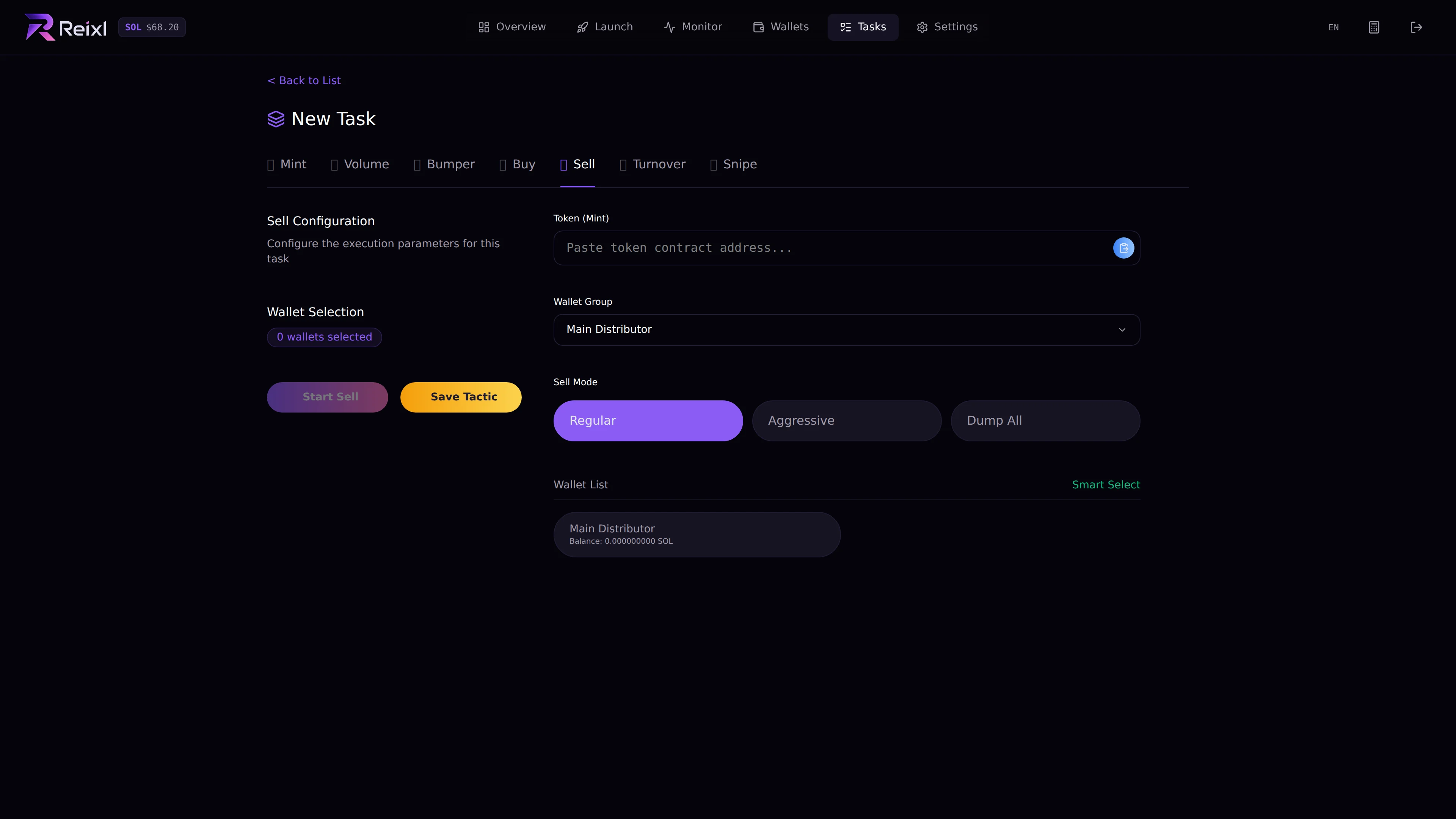
- target mint
- Wallet Group
- selected wallets
- sell mode or percentage
- whether you want selected wallets or all wallets
Steps
- Open Tasks > New Task.
- Choose Buy or Sell.
- Paste the mint.
- Choose the Wallet Group.
- Select wallets.
- Fill the amount or sell mode.
- Start the task.
- Watch the task detail.