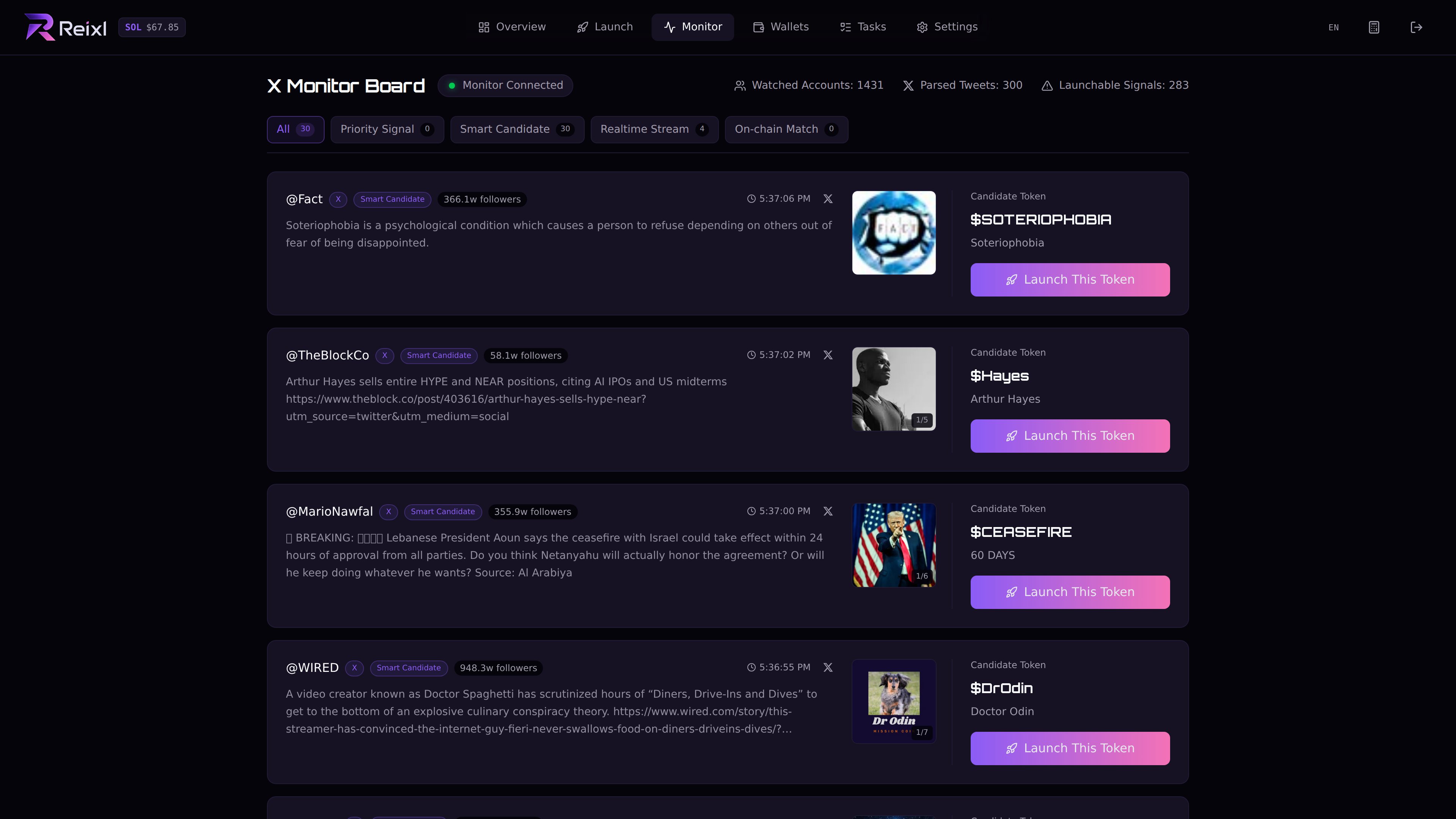
Monitor is where new launch candidates show up. Each item can include text, images, links, and clone data. Open the candidate, check what came in, then send it to Mint only if it fits what you want to launch. Monitor only creates the path into Mint. You still review the draft and send it yourself. Signal monitor

Tabs

What to check

Before you create a draft, check:
  • source text
  • image
  • source link
  • suggested name or symbol
  • clone mint, if shown
If there are multiple images, choose the one you want before creating the draft.

Send to Mint

  1. Open the candidate.
  2. Choose the image or angle.
  3. Click the launch action.
  4. Review the Mint draft.
  5. Add wallets and send only when ready.
Next: Launch From Signal.