
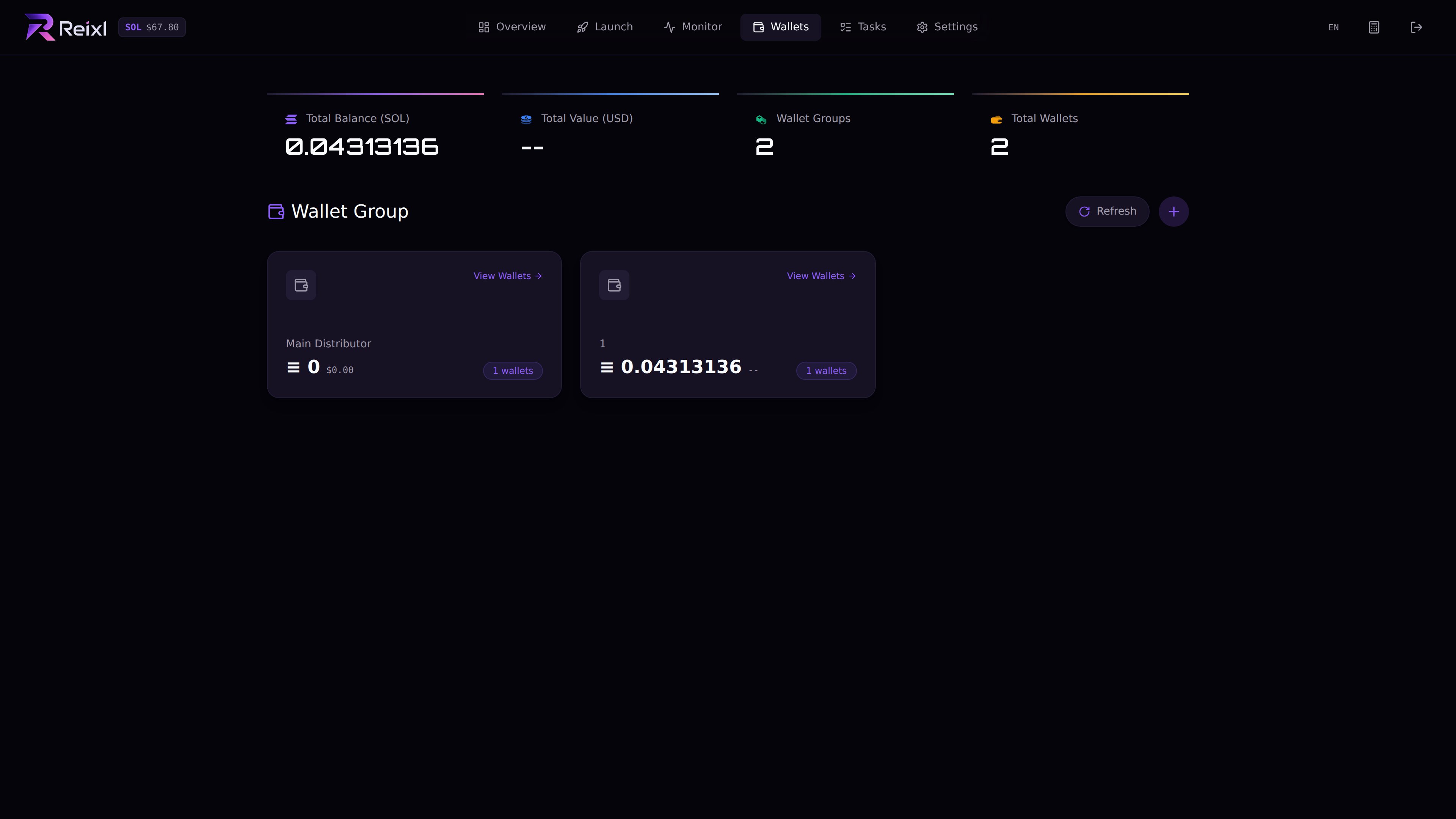
Wallet Groups are the wallets used by launches and tasks. Use a separate group for each launch, task, test, or cleanup session when you can. Wallet groups overview

Create a group

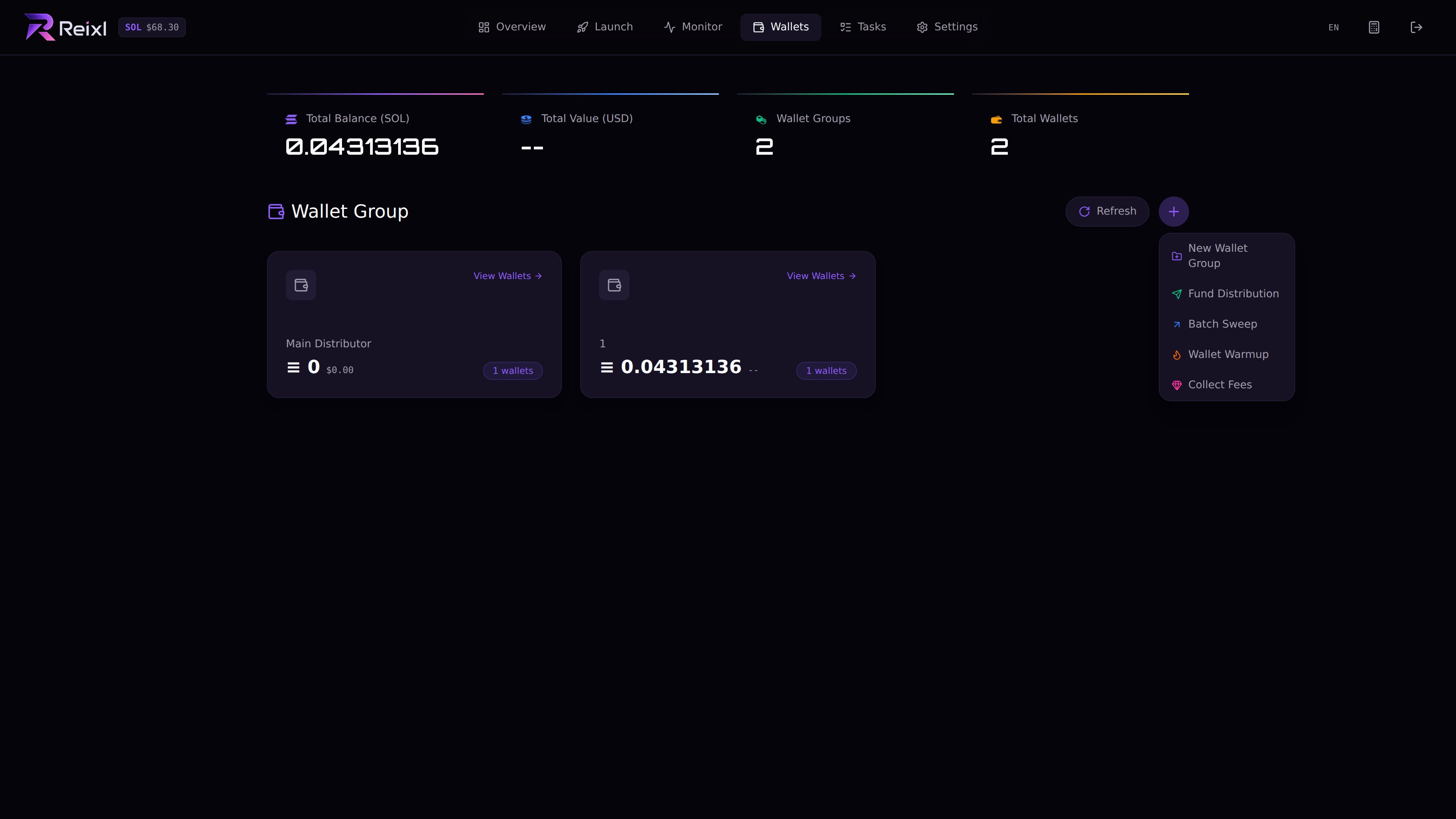
Wallet group creation menu
  1. Open Wallets.
  2. Click New Wallet Group.
  3. Enter a clear name.
  4. Choose how many wallets to create. The UI accepts 1 to 100.
  5. Create the group.
  6. Refresh balances.

Good names

Use names you can understand later:
  • Launch A - Primary
  • Launch A - Block0
  • Volume Test - 01
  • Snipe Session - 02
  • Cleanup After Launch
When money is live, names like test, 1, or main are easy to mix up.

What to check in a group

Open the group to check: Wallet group detail
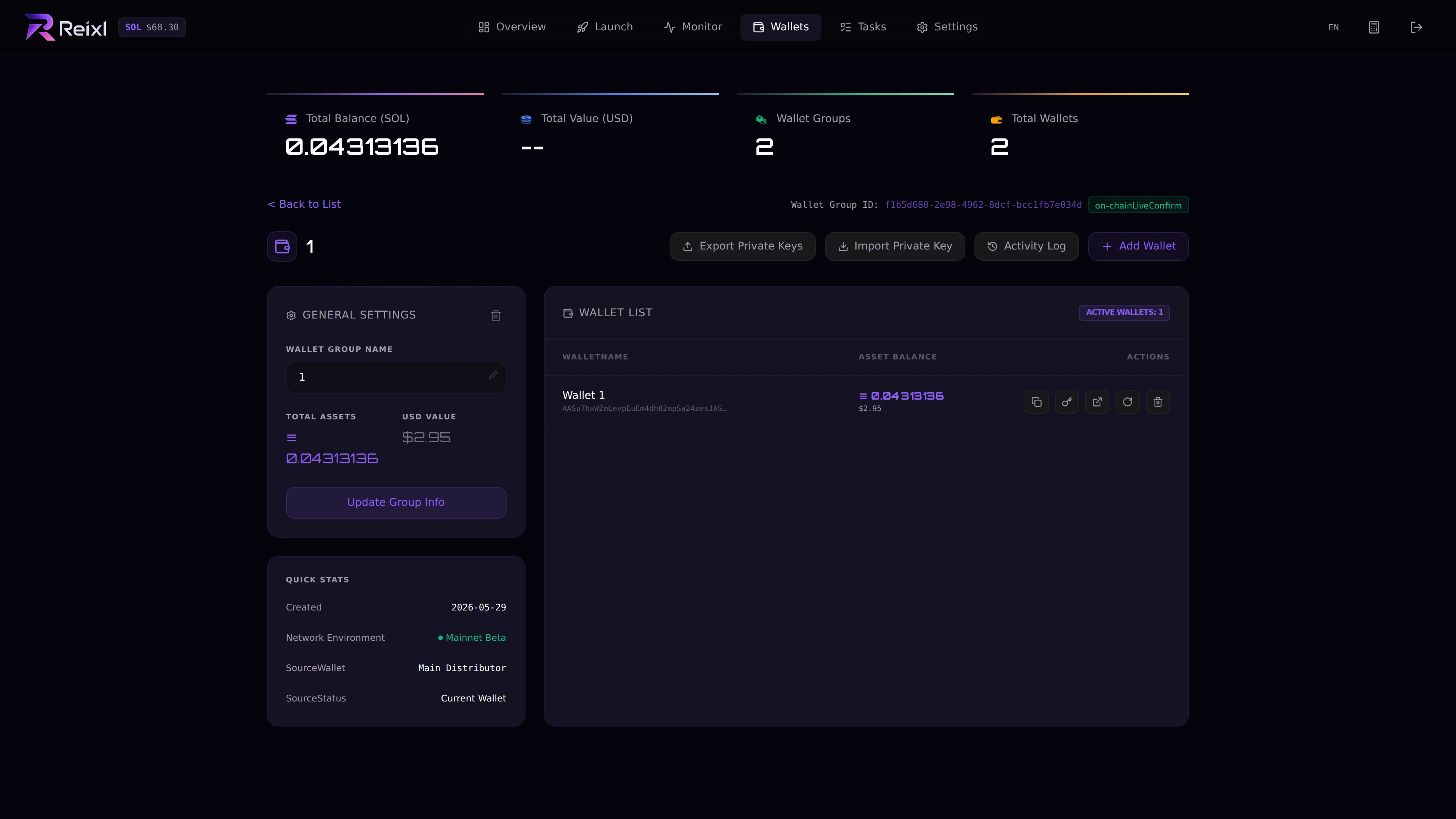
  • wallet addresses
  • SOL balances
  • which wallets are funded
  • private key actions, if unlocked
  • sweep history, if shown

Reusing a group

Before reusing a group, check that the old run is finished, token positions are handled, balances are refreshed, and extra SOL has been swept if needed. A group with funds still needs cleanup first. Sweep what should be swept, then delete only when you are sure the group is no longer needed.