
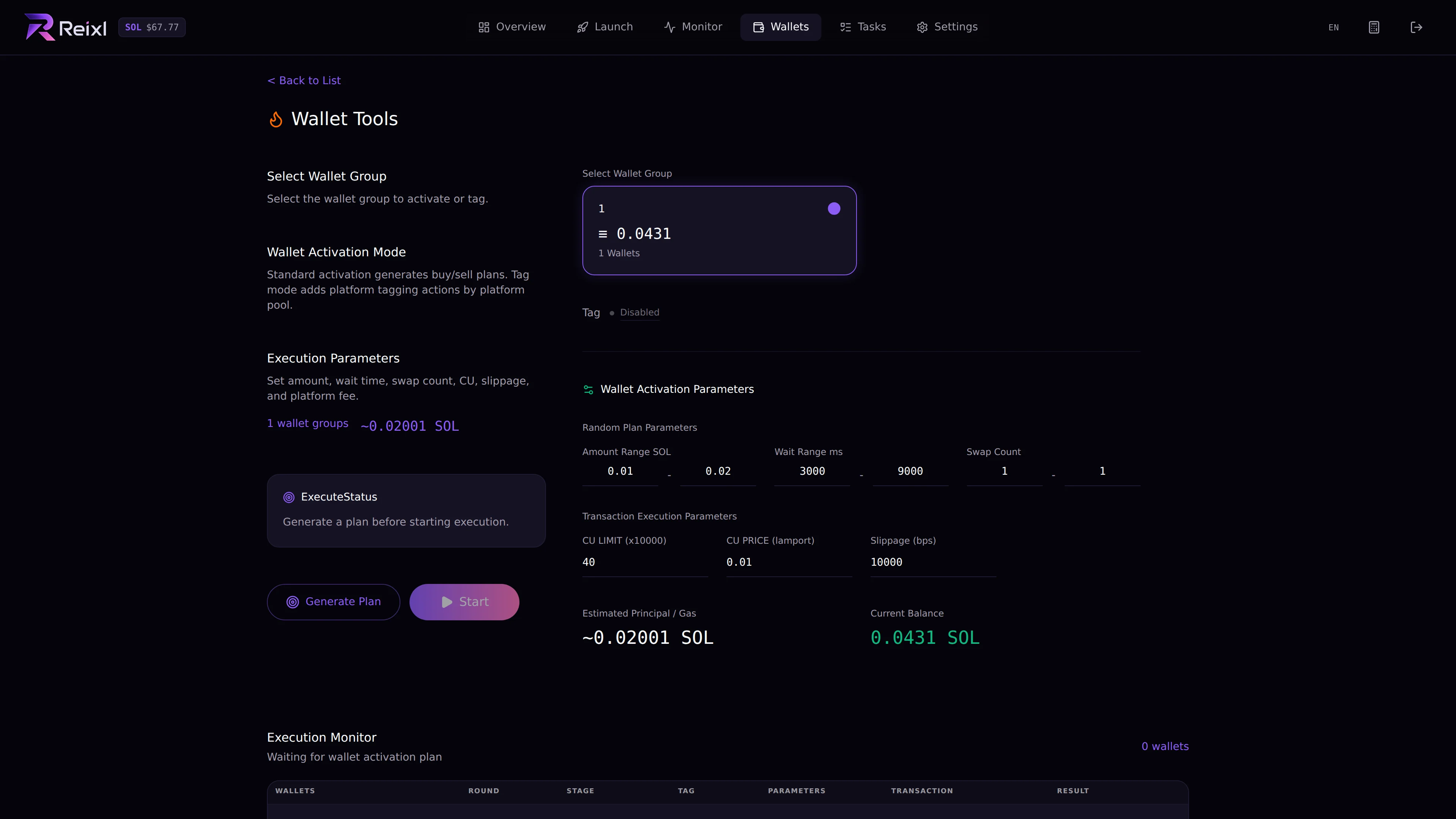
Wallet Warmer prepares a Wallet Group before you use it in a launch or task. Use it when you want wallets to look less fresh or when you want platform tags such as Trojan, Photon, BullX, Axiom, GMGN, or Padre. Wallet warmer

Modes

ModeUse it for
ActivateRun warmup activity for selected wallets.
TagApply selected platform labels to wallets.

Basic steps

  1. Open Wallets > Wallet Warmer.
  2. Select a Wallet Group.
  3. Choose the mode.
  4. Set buy amount range, wait range, swap count, slippage, and any visible fee settings.
  5. Create the warmup plan.
  6. Start the plan.
  7. Watch wallet results.

Watch results

Each wallet can show waiting, buy submitted, buy confirmed, sell submitted, sell confirmed, failed, or sell failed. If there are failed items with remaining tokens, use the manual sell recovery action when it is available.

Before leaving

After warmup, refresh the group and review any failed or pending wallets. Use the group for a launch only after those items are clear.